Use meshes or collections on either side
The Template and Target can each be a single mesh or a collection. Work with a MetaHuman’s separate head and body, or a high-resolution Target made from several pieces, without joining objects first.
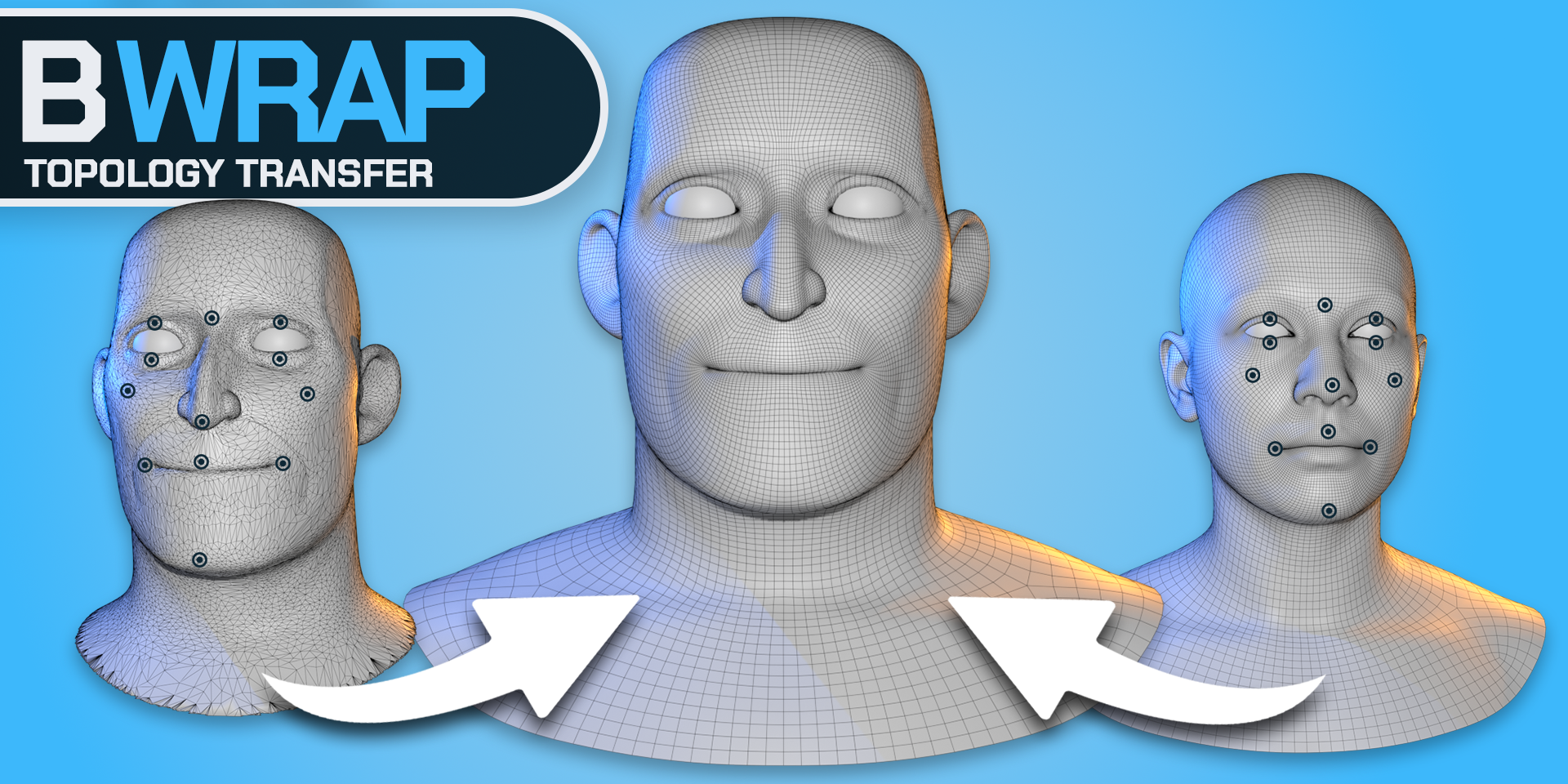
Wrap clean topology onto full characters in Blender. Use single meshes or collections for Template and Target, keep matching seams together, and refine the fit without joining your meshes.
Wrap a complete character while keeping its meshes separate. Put the head and body in a Template collection, choose your Target, and guide them together in one wrapping workflow.
The Template and Target can each be a single mesh or a collection. Work with a MetaHuman’s separate head and body, or a high-resolution Target made from several pieces, without joining objects first.
Keep Seams Together links corresponding boundary vertices during Wrap and Nudge. Objects stay separate, and their vertex order, UVs and vertex groups are preserved.
Start your point batch on either Template or Target, then place the matching points on the other side. Nudge follows connected Target surfaces and smooths local folds to help refine difficult areas.
Creating good character topology takes time. Once you have edge flow and deformation loops that work, you should be able to reuse them.
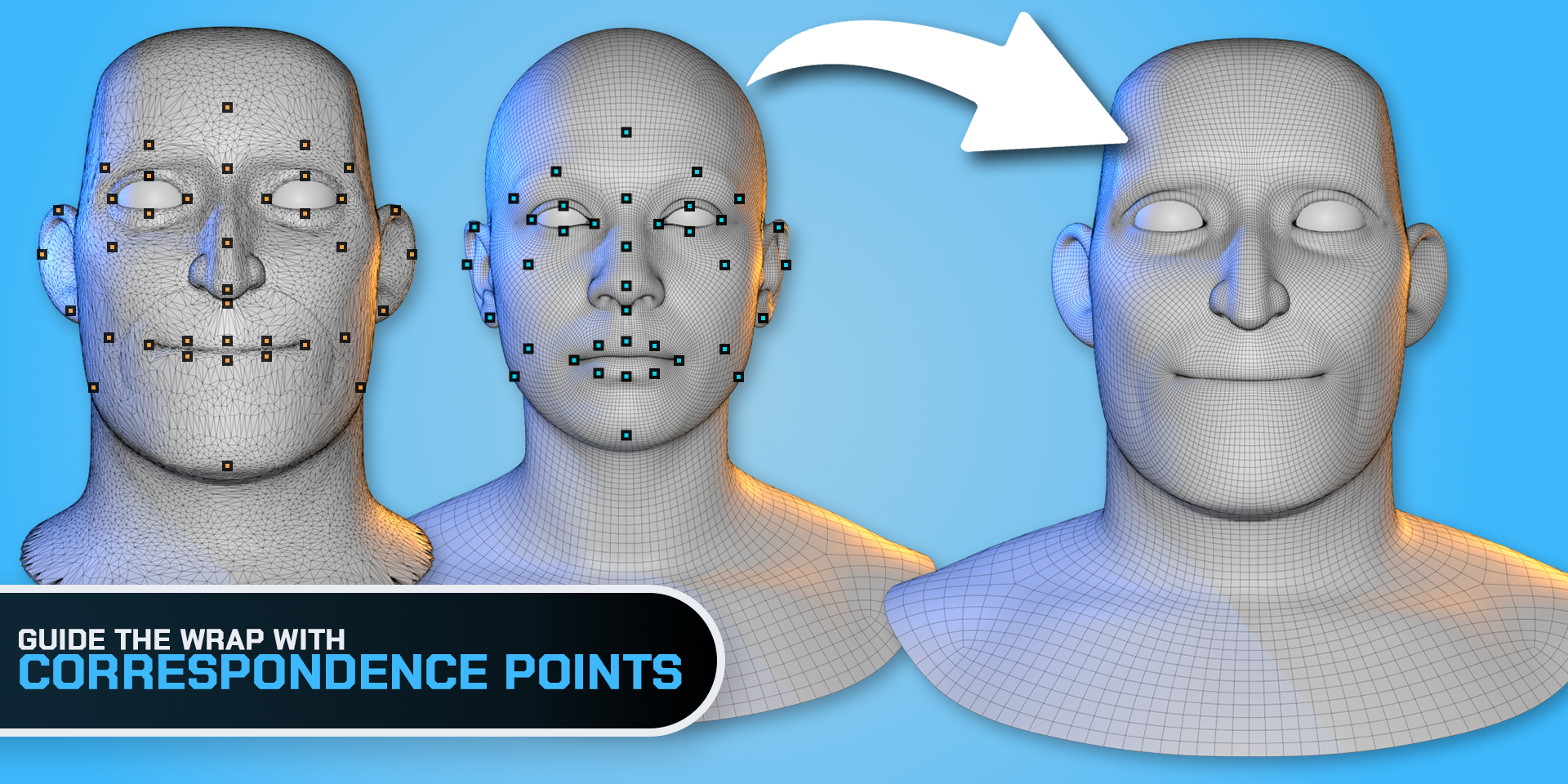
BWrap fits that mesh to a new face, body, scan or sculpt. Guide the important features, let BWrap handle the deformation, then refine the result directly inside Blender.
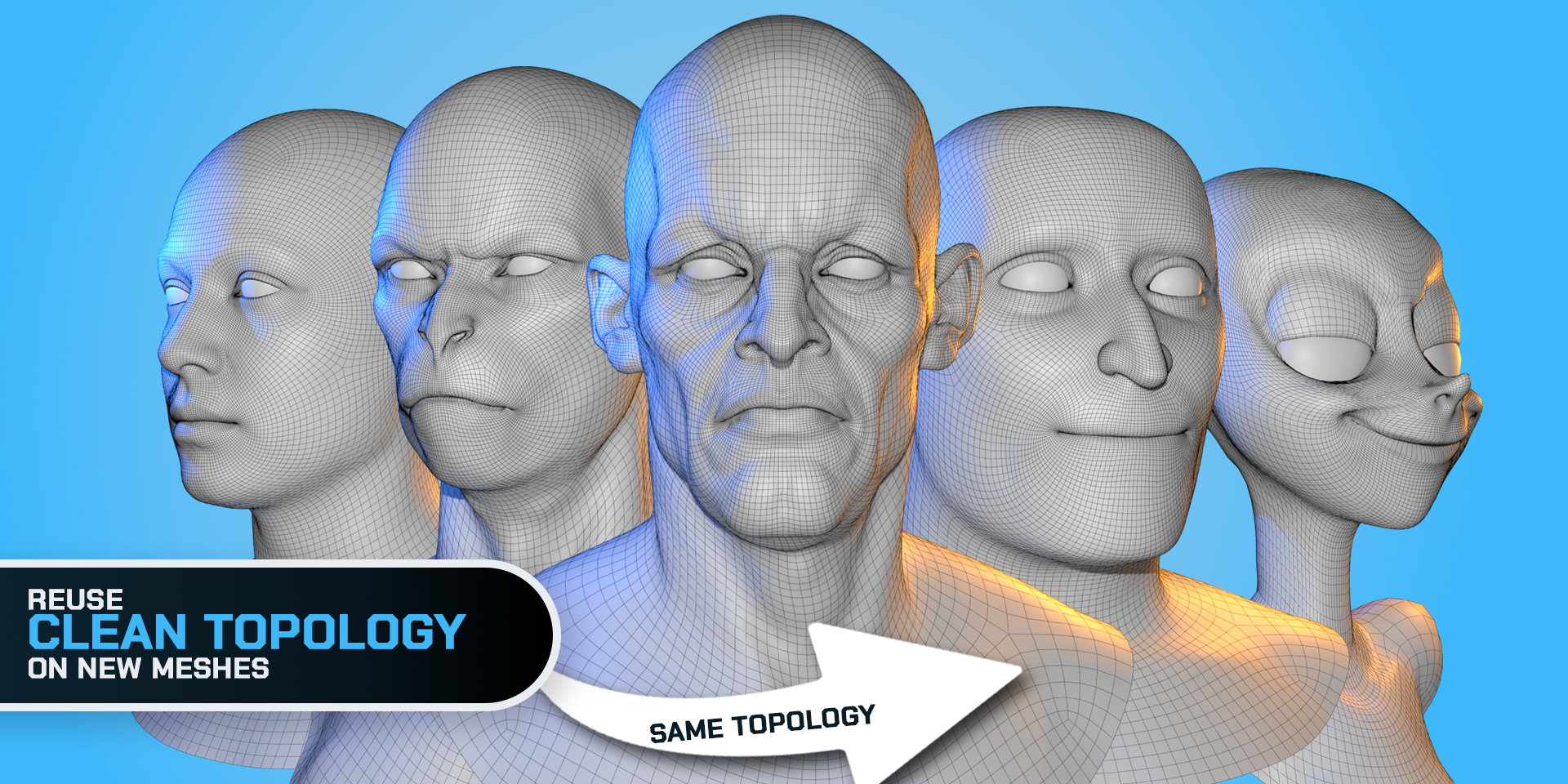
Place matching landmarks on the face and across the body, including shoulders, elbows, hips and knees. Start a batch on either Template or Target, then match it on the other side. Left, right and center colors help you keep track. Free supports up to 50 pairs across the whole setup.
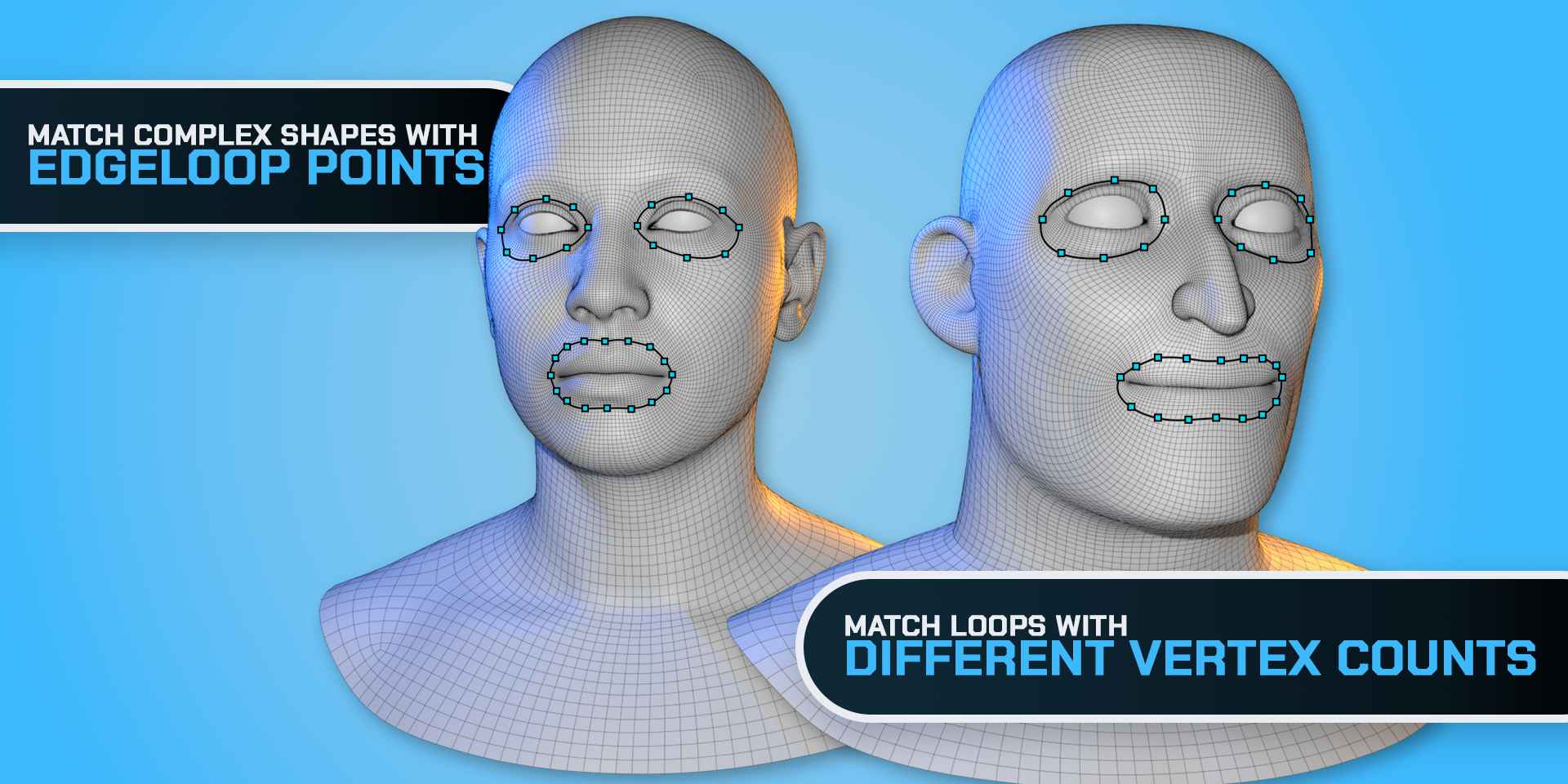
Store matching Template and Target edge loops and let BWrap distribute correspondence points along them. The two loops can have different vertex counts. Useful for eye openings, mouth loops and other curved features.
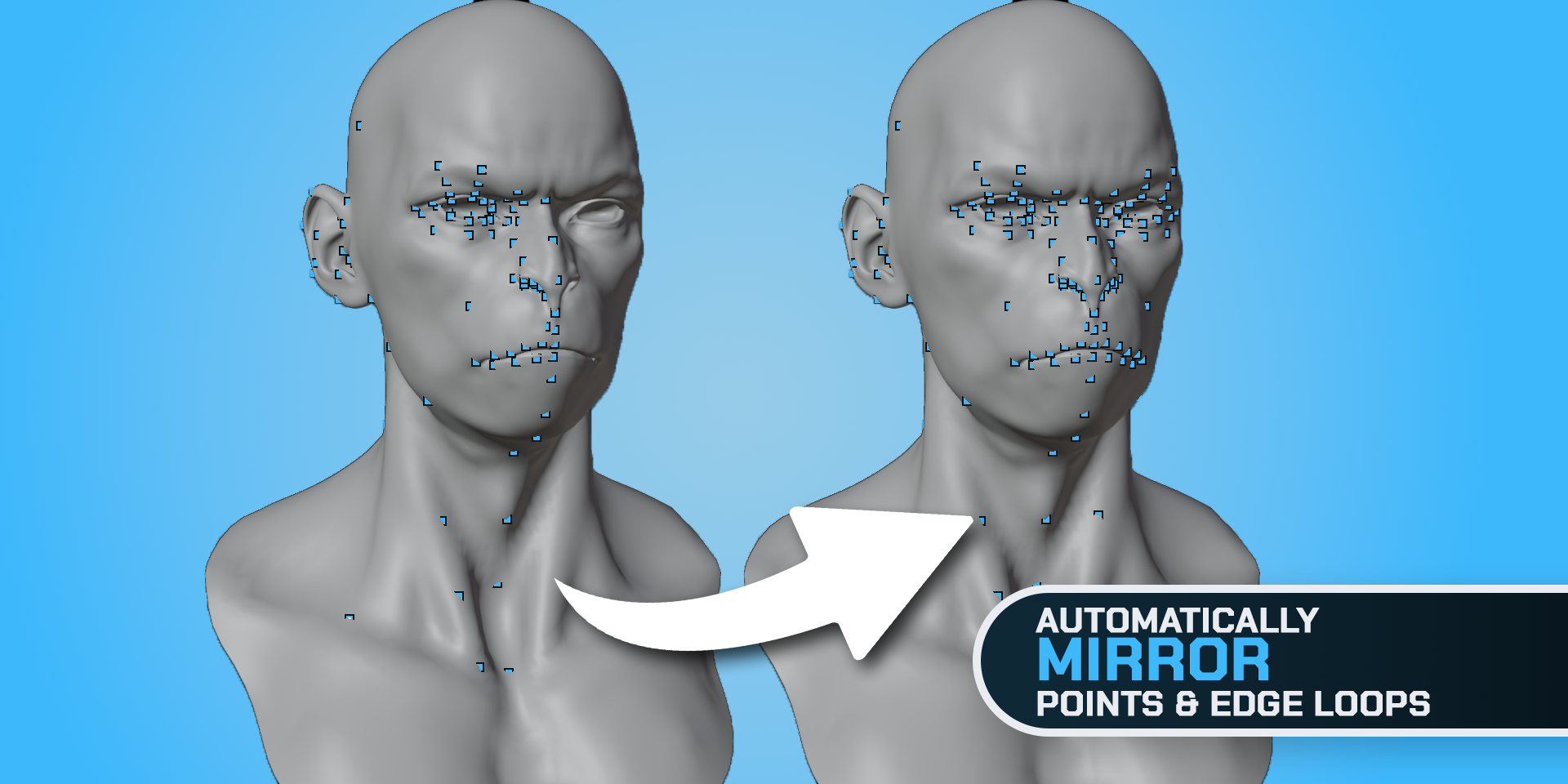
Automatically create mirrored point pairs with Symmetry, or mirror selected points from either side. Single meshes use their local X planes; collections use world X=0 or a chosen Symmetry Reference. Bilateral Loop Guides support Auto Symmetry in the single-mesh workflow.
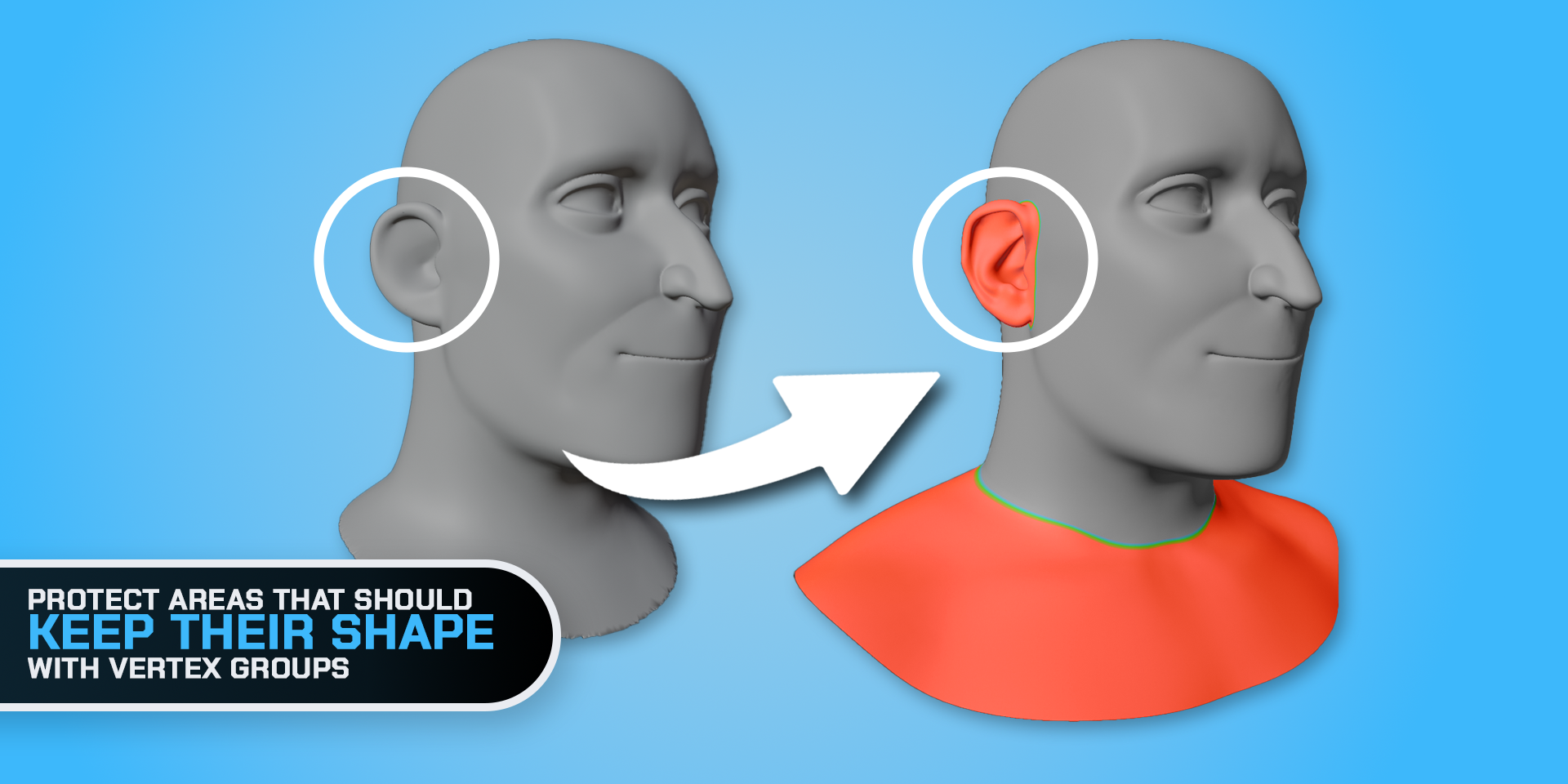
Use Keep Shape Weight Groups to carry a region into place while preserving more of its local form. An ear, for example, can keep its shape while the surrounding mesh wraps to the target. Full also includes Exclude and Pin. In collections, masks use the same group name on each mesh. Detect Interior and exclusion-preset tools are available in the single-mesh workflow.
Transfer textures from the target to your wrapped mesh, then continue texturing and editing normally in Blender. Both editions include texture, color attribute, normal and cavity transfer. Free outputs 256 × 256; Full supports up to 8K.
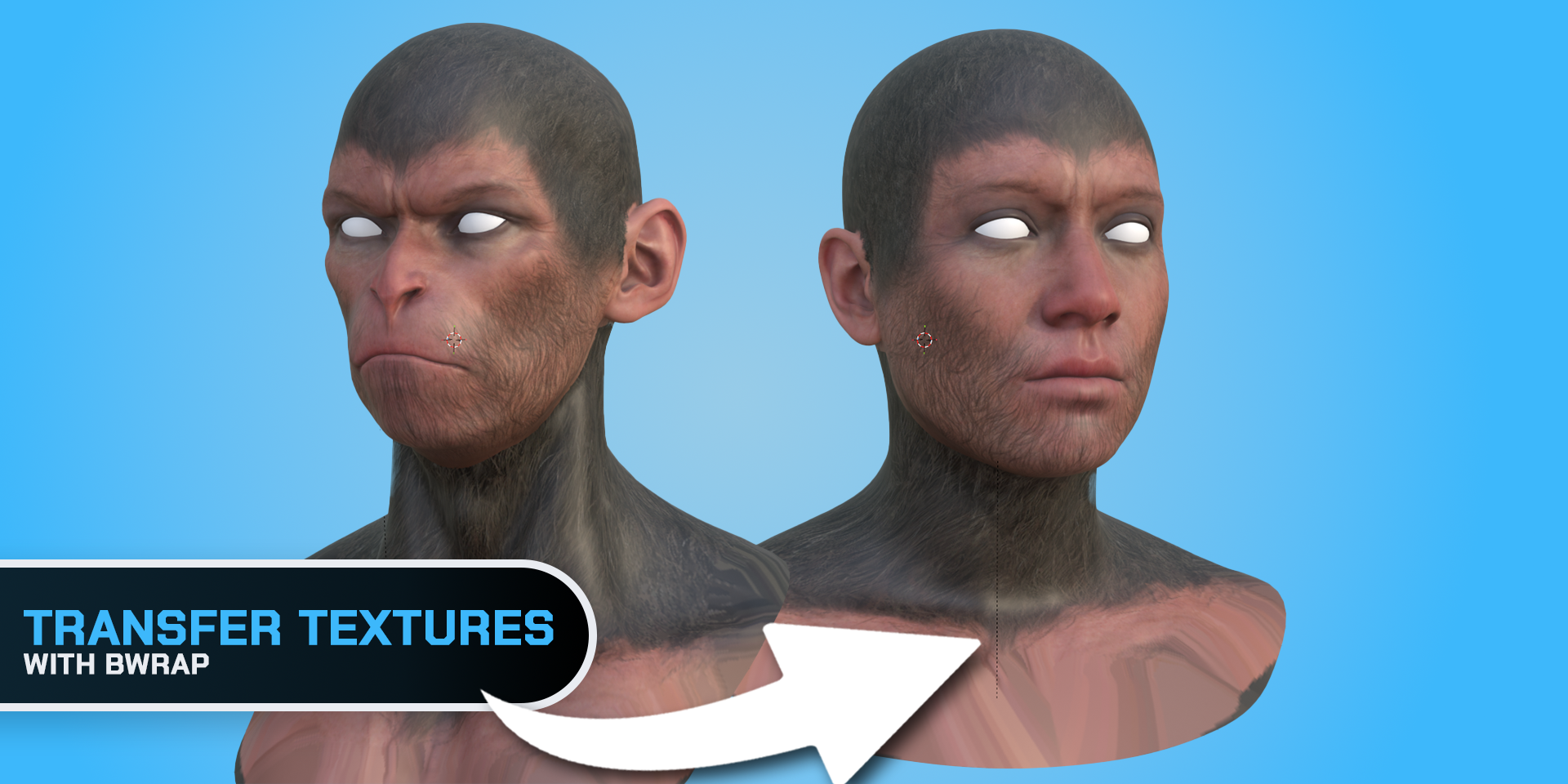
Use Fast to check your setup and iterate in either edition. Full adds Balanced and Best, plus editable solver settings for more control over the final fit.
Slide the wrapped mesh over connected Target surfaces with Nudge. Hold Shift to smooth uneven areas and help relax local folds. Both editions include these tools, with matching Template seams kept together in collection wraps.
Choose Mesh or Collection independently for Template and Target. For a full body, place the separate head and body meshes in one Template collection. Align the inputs, enable Keep Seams Together, then build the BWrap workspace.
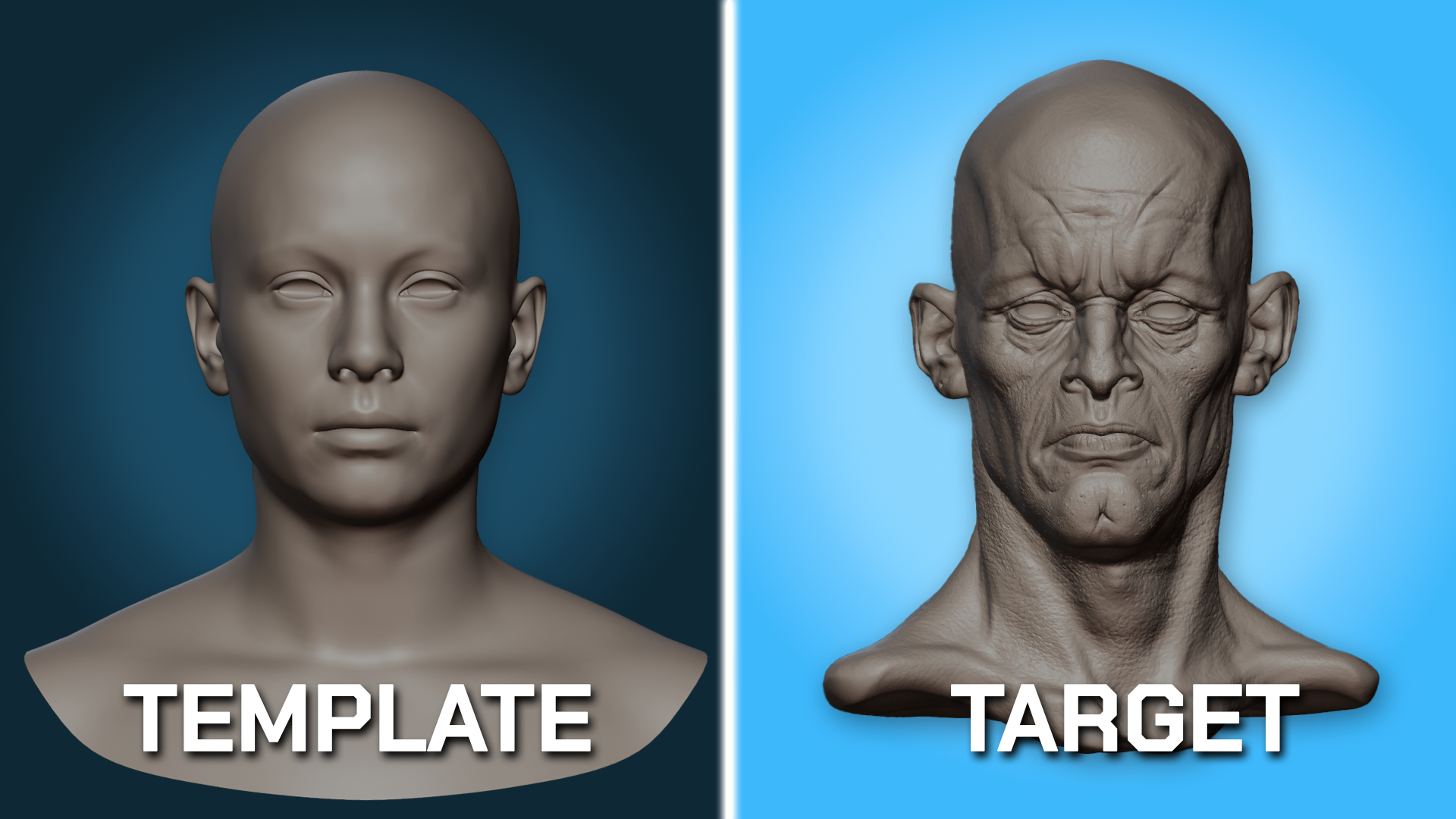
Place a batch of landmarks on either side, then add their counterparts in the same order. In Full, use Loop Guides for detailed features and Weight Groups to protect selected areas.
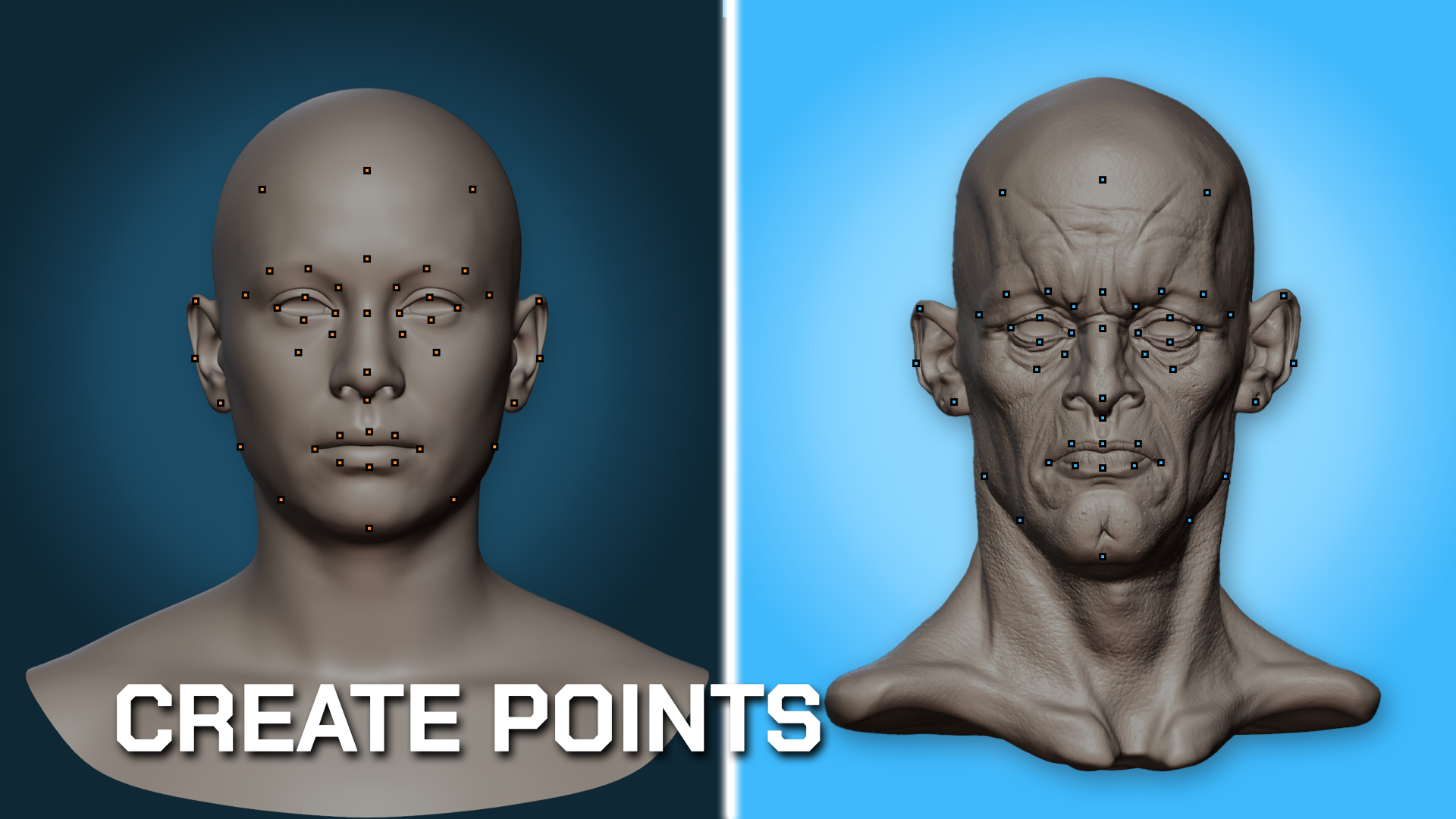
Wrap your Template onto the Target, then adjust and refine the fit. Project textures and vertex paint from the Target onto your Template’s UV maps.
| Feature | Free | Full |
|---|---|---|
| Correspondence Points: place, adjust, select and delete | Included50 pairs maximum | IncludedNo edition limit |
| Save and load point data (JSON) | IncludedUp to 50 pairs | Included |
| Multiple Template / Target meshes through collections | Not included | Included |
| Fast wrapping | Included | Included |
| Balanced and Best wrapping presets | Not included | Included |
| Editable solver and advanced settings | Not included | Included |
| Mirror Selected / All, with left-to-right or right-to-left direction | Not included | Included |
| Centerline snapping and X shortcuts for point placement / adjustment | Not included | Included |
| Loop Guides (EdgeLoop Points), automatic correspondence and Auto Symmetry | Not included | Included |
| Weight Groups: Exclude, Pin / Lock in Place and Keep Shape | Not included | Included |
| Detect Interior and exclusion presets (single-mesh workflow) | Not included | Included |
| Adjustable Conform Strength and Snap Open Edges | Not included | Included |
| Nudge and Nudge Points, including X symmetry | Included | Included |
| Conform Points to Wrap (single-mesh workflow) | Included | Included |
| Shape Key result, Result Strength, Apply and Remove | Included | Included |
| Create a new object from the finished result | Included | Included |
| Choose automatic Modify Mesh / New Object output (single-mesh workflow) | Not includedShape Key output | Included |
| Turn Live Preview on or off | Not includedAlways on | Included |
| Texture, color attribute, normal and cavity transfer | Included256 × 256 | IncludedUp to 8192 × 8192 (8K) |
| Bake quality controls, preview materials and image saving | Included | Included |
| BWrap workspace, synchronized views and wireframe controls | Included | Included |
Free supports 50 matched point pairs: 50 landmarks on the Template and 50 on the Target. Pending points on either side count toward this limit. Nudge symmetry moves existing points and geometry; point mirroring and Loop Guides are exclusive to Full.
Both editions support single-mesh wrapping. Full also supports collections with multiple meshes on either side. Free uses fixed Fast settings and Shape Key output, and still includes Apply and Create Object after wrapping.
Test BWrap on your own meshes.
More control for detailed character work.
Buy BWrap Full on this website with Lemon Squeezy, or through Superhive or ArtStation.
Final currency, tax and total are shown by your chosen store at checkout.
BWrap is a Blender addon for wrapping an existing clean mesh onto a new character, sculpt or scan while keeping the topology you already want to work with. You guide important areas using Correspondence Points and, in Full, EdgeLoop Points. BWrap then handles the deformation.
For many character workflows, that is the idea. If you already have good topology, BWrap lets you reuse it instead of rebuilding the mesh from scratch. Some final manual refinement may still be useful depending on the complexity of the target.
No. The Template is the clean topology you want to preserve, while the Target can have completely different topology. BWrap uses the target primarily as the shape you want to match.
Yes. Choose Collection for the Template, Target or both. A separate head and body can wrap together without being joined. Keep Seams Together links corresponding seam vertices while preserving each object’s vertex order. Multiple-mesh wrapping is available in Full. Free supports one Template mesh and one Target mesh, with up to 50 point pairs.
The objects, vertex order, UVs and vertex groups remain intact. Each collection Template gets its own result shape key, controlled by a shared Wrap Amount. Existing relative expression-key offsets are preserved when applying the result, but expressions may need adjustment for the new anatomy. Start from a neutral Template; BWrap does not retarget a MetaHuman rig or DNA.
Yes. Matching Template and Target loops do not need to contain the same number of vertices. BWrap Full can distribute correspondence points along both loops automatically. Pair an open chain with an open chain, or a closed loop with a closed loop.
Yes. Both editions include texture-transfer tools so textures from the target can be transferred to the wrapped mesh. Free supports 256 × 256 output; Full supports up to 8192 × 8192 (8K). The Template needs a UV map, and transferring target textures also requires target UVs.
Yes. The finished result remains a normal Blender mesh, so you can continue sculpting, modeling, rigging, texturing or otherwise editing it using your normal Blender workflow.
Follow a complete full-body wrap using a MetaHuman with separate head and body meshes. Learn how to set up collections, place matching landmarks, keep the neck seam together and refine the result.